> ## Documentation Index
> Fetch the complete documentation index at: https://docs.pre.dev/llms.txt
> Use this file to discover all available pages before exploring further.
# Understanding Specs
> What pre.dev specifications contain and how agents use them.
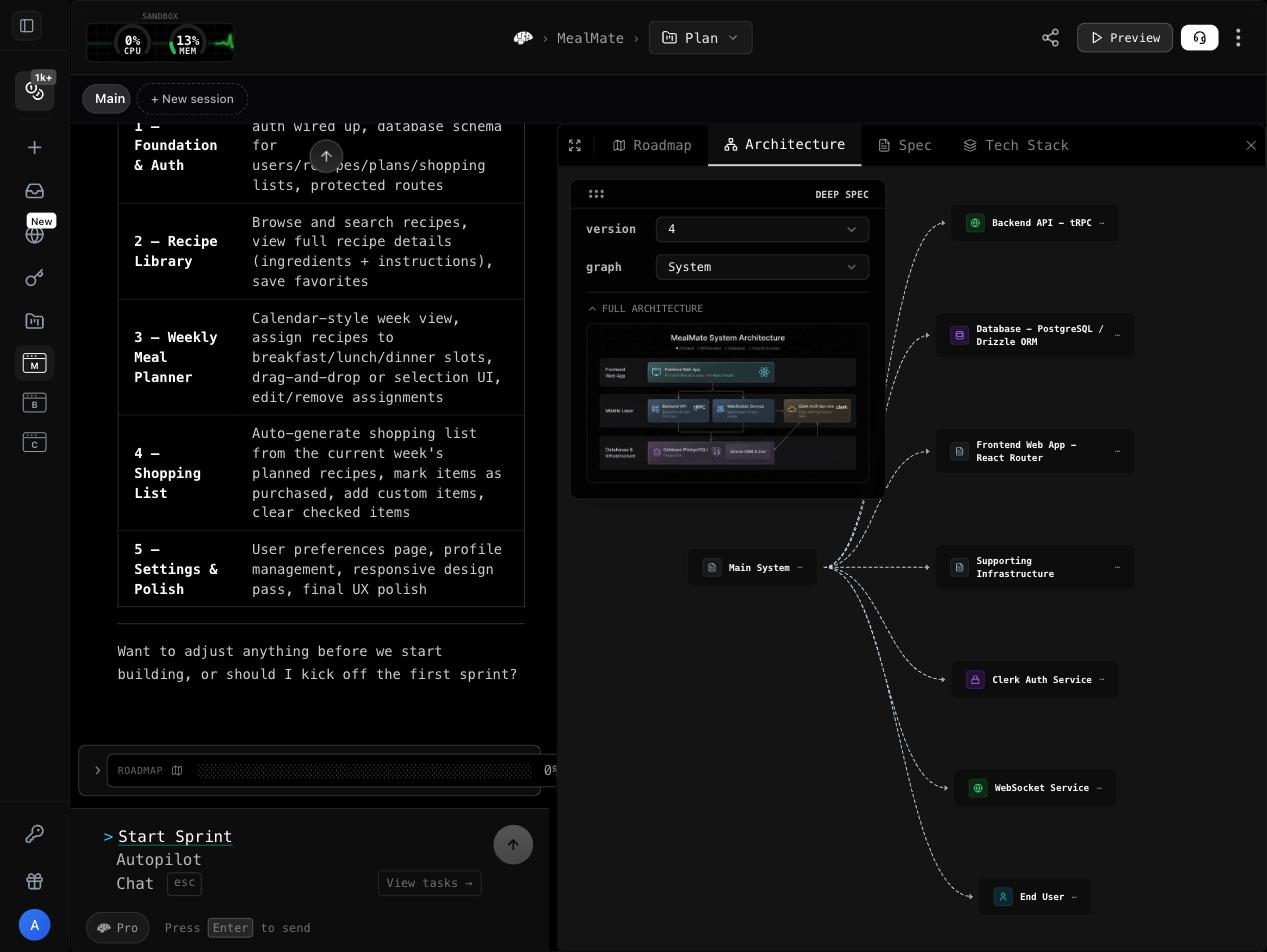
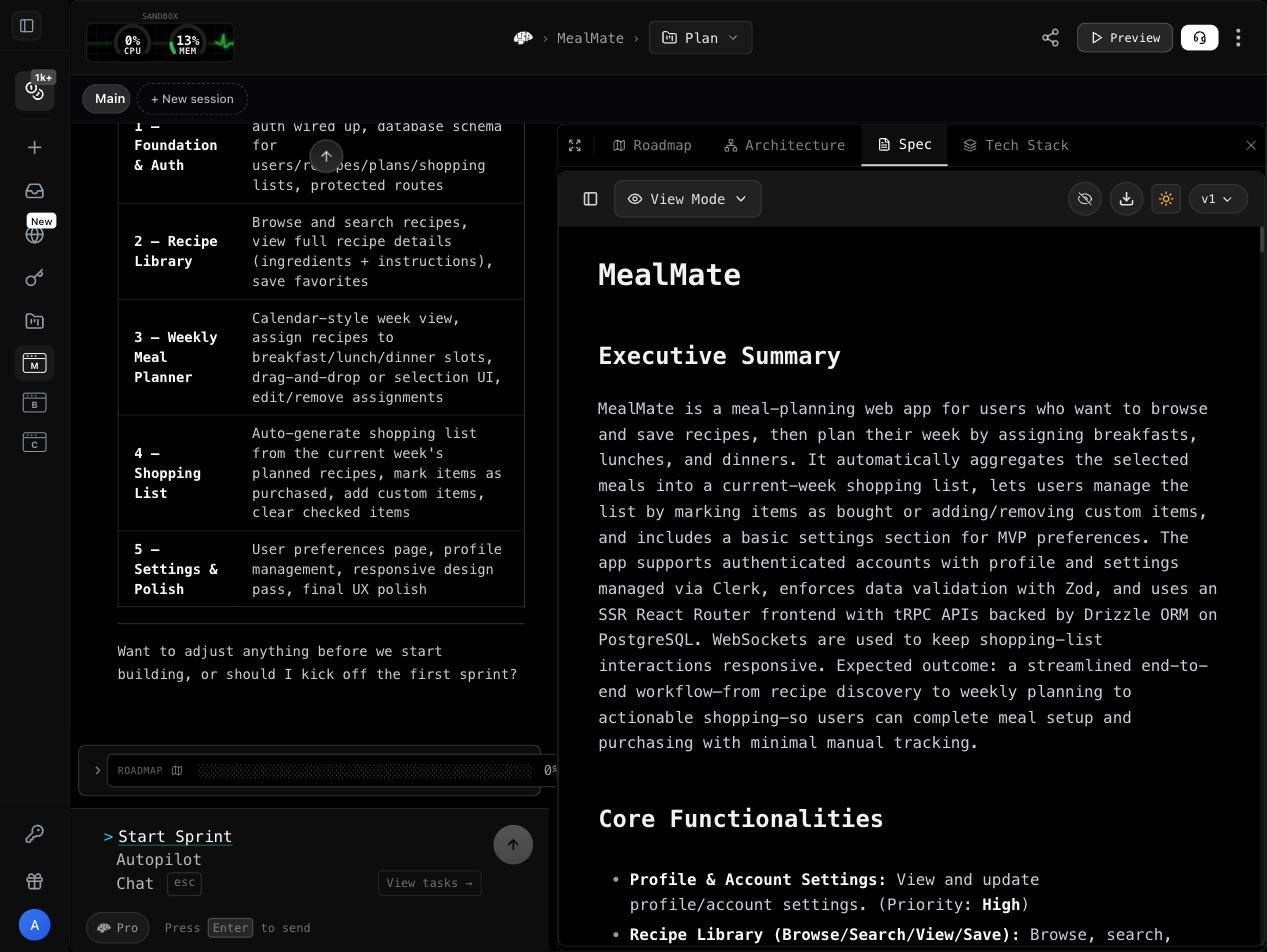
A specification is the structured blueprint that guides pre.dev's build agents. It's generated by pre.dev's planning engine based on your project description, and it contains everything agents need to implement your project correctly.
 ## Spec Structure
Every specification follows a hierarchical structure:
```
Project
├── Technical Architecture
│ ├── Tech Stack
│ ├── System Design
│ └── Infrastructure
├── Milestone 1: Core Foundation
│ ├── User Story 1.1
│ │ ├── Acceptance Criteria
│ │ ├── Subtask 1.1.1
│ │ ├── Subtask 1.1.2
│ │ └── Subtask 1.1.3
│ └── User Story 1.2
│ ├── Acceptance Criteria
│ └── Subtasks...
├── Milestone 2: Feature Layer
│ └── ...
└── Milestone 3: Polish & Deploy
└── ...
```
## Components
### Technical Architecture
The top-level section defines the system design:
* **Tech stack** — Languages, frameworks, databases, hosting
* **System design** — Component hierarchy, data flows, API contracts
* **Database schema** — Tables/collections, relationships, indexes
* **Infrastructure** — Deployment targets, CI/CD, environment config
### Milestones
Milestones are phases of delivery. They're sequenced so that foundational work comes first:
* Each milestone has a **complexity estimate**
* Milestones are typically built in order (dependencies respected)
* Example: "Core Foundation" → "User Features" → "Admin & Analytics" → "Polish & Deploy"
### User Stories
Each milestone contains user stories — feature-level requirements:
* Written in standard format: "As a \[user], I want \[feature], so that \[benefit]"
* Include **acceptance criteria** — specific conditions that must be true for the story to be complete
* Acceptance criteria become the verification checks during building
### Subtasks (Deep Spec only)
Subtasks are the granular implementation steps within each story:
* Specific enough for an agent to implement directly
* Include task-level complexity estimates
* Have their own status tracking
## Task Status Tracking
Every subtask has a status indicator:
```markdown theme={null}
- [ ] To Do — Not yet started
- [→] In Progress — Currently being built
- [✓] Complete — Finished and verified
- [⊘] Skipped — Intentionally skipped (with reason)
```
These statuses update in real-time as agents work through the spec.
## Editing Specs
Specifications are **living documents**. Before or during building, you can:
Add new features you want included, or remove features you've decided against. The spec updates immediately.
Change what "done" means for any story. Agents building that task will use the updated criteria.
Adjust delivery priority. Move critical features earlier or defer nice-to-haves.
Switch frameworks, databases, or tools. Subsequent tasks will use the new stack.
Edits are reflected immediately — agents building subsequent tasks will always use the latest version of the spec.
## How Agents Use Specs
When a build agent picks up a task, it receives:
1. The **full specification** for architectural context
2. The **specific subtask** it's responsible for
3. The **acceptance criteria** it must satisfy
4. The **current codebase** state
5. Any **Integrations** entries (API keys, docs)
This focused context means agents don't hallucinate features or make uninformed architectural decisions — they implement exactly what the spec defines.
## Example Spec Fragment
```markdown theme={null}
## Milestone 2: User Authentication (Complexity: Medium)
### Story 2.1: User Registration
As a new user, I want to create an account with email and password,
so that I can access personalized features.
**Acceptance Criteria:**
- User can register with email, password, and display name
- Email validation prevents invalid formats
- Password must be 8+ characters with one uppercase and one number
- Duplicate emails show clear error message
- Successful registration sends verification email
#### Subtasks:
- [ ] Create registration API endpoint with input validation
- [ ] Build registration form component with client-side validation
- [ ] Implement email verification flow with token generation
- [ ] Add duplicate email detection with user-friendly error
- [ ] Write unit tests for registration logic
```
## What's next?
Pick the right depth for your project.
Start building against the spec.
## Spec Structure
Every specification follows a hierarchical structure:
```
Project
├── Technical Architecture
│ ├── Tech Stack
│ ├── System Design
│ └── Infrastructure
├── Milestone 1: Core Foundation
│ ├── User Story 1.1
│ │ ├── Acceptance Criteria
│ │ ├── Subtask 1.1.1
│ │ ├── Subtask 1.1.2
│ │ └── Subtask 1.1.3
│ └── User Story 1.2
│ ├── Acceptance Criteria
│ └── Subtasks...
├── Milestone 2: Feature Layer
│ └── ...
└── Milestone 3: Polish & Deploy
└── ...
```
## Components
### Technical Architecture
The top-level section defines the system design:
* **Tech stack** — Languages, frameworks, databases, hosting
* **System design** — Component hierarchy, data flows, API contracts
* **Database schema** — Tables/collections, relationships, indexes
* **Infrastructure** — Deployment targets, CI/CD, environment config
### Milestones
Milestones are phases of delivery. They're sequenced so that foundational work comes first:
* Each milestone has a **complexity estimate**
* Milestones are typically built in order (dependencies respected)
* Example: "Core Foundation" → "User Features" → "Admin & Analytics" → "Polish & Deploy"
### User Stories
Each milestone contains user stories — feature-level requirements:
* Written in standard format: "As a \[user], I want \[feature], so that \[benefit]"
* Include **acceptance criteria** — specific conditions that must be true for the story to be complete
* Acceptance criteria become the verification checks during building
### Subtasks (Deep Spec only)
Subtasks are the granular implementation steps within each story:
* Specific enough for an agent to implement directly
* Include task-level complexity estimates
* Have their own status tracking
## Task Status Tracking
Every subtask has a status indicator:
```markdown theme={null}
- [ ] To Do — Not yet started
- [→] In Progress — Currently being built
- [✓] Complete — Finished and verified
- [⊘] Skipped — Intentionally skipped (with reason)
```
These statuses update in real-time as agents work through the spec.
## Editing Specs
Specifications are **living documents**. Before or during building, you can:
Add new features you want included, or remove features you've decided against. The spec updates immediately.
Change what "done" means for any story. Agents building that task will use the updated criteria.
Adjust delivery priority. Move critical features earlier or defer nice-to-haves.
Switch frameworks, databases, or tools. Subsequent tasks will use the new stack.
Edits are reflected immediately — agents building subsequent tasks will always use the latest version of the spec.
## How Agents Use Specs
When a build agent picks up a task, it receives:
1. The **full specification** for architectural context
2. The **specific subtask** it's responsible for
3. The **acceptance criteria** it must satisfy
4. The **current codebase** state
5. Any **Integrations** entries (API keys, docs)
This focused context means agents don't hallucinate features or make uninformed architectural decisions — they implement exactly what the spec defines.
## Example Spec Fragment
```markdown theme={null}
## Milestone 2: User Authentication (Complexity: Medium)
### Story 2.1: User Registration
As a new user, I want to create an account with email and password,
so that I can access personalized features.
**Acceptance Criteria:**
- User can register with email, password, and display name
- Email validation prevents invalid formats
- Password must be 8+ characters with one uppercase and one number
- Duplicate emails show clear error message
- Successful registration sends verification email
#### Subtasks:
- [ ] Create registration API endpoint with input validation
- [ ] Build registration form component with client-side validation
- [ ] Implement email verification flow with token generation
- [ ] Add duplicate email detection with user-friendly error
- [ ] Write unit tests for registration logic
```
## What's next?
Pick the right depth for your project.
Start building against the spec.